| Changes to End User Airmail Setup
Hello to all….
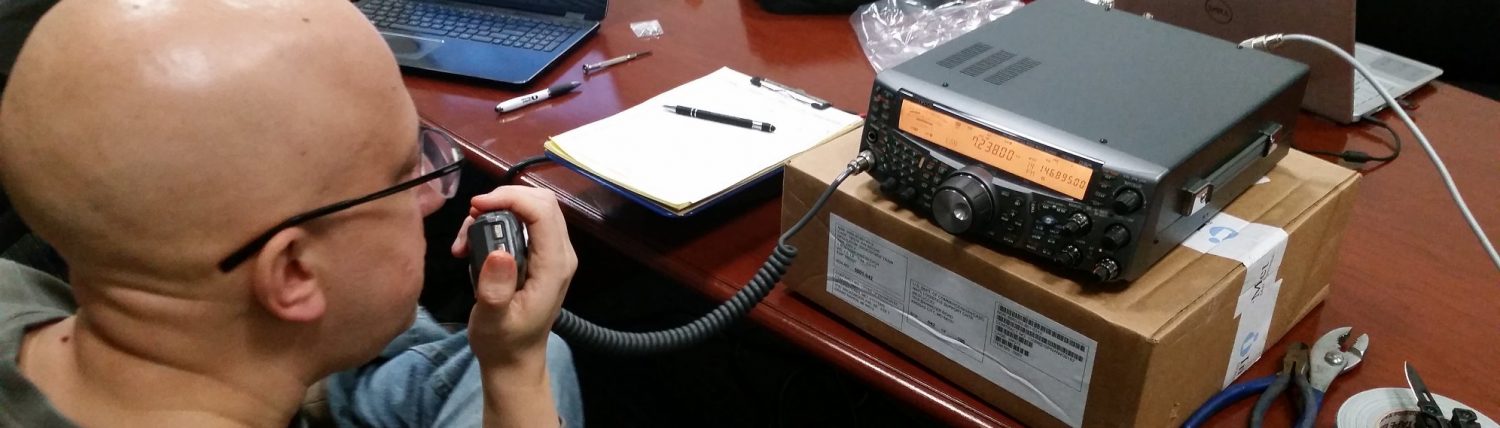
WinLink is becoming a popular way to utilize digital communications over radio despite the low speed of which digital traffic can flow on VHF and UHF. John Ruggerio-N2YHK and Tom Kinahan-N1CPE demonstrated this technology at the last Western Massachusetts ARES Meeting. The following are instructions they have provided that I modified slightly to be more generic.
If you haven’t tried Winlink 2000 out yet, give it a shot. Winlink 2000 is E-mail for ham radio, where regular Internet E-mail is extended from the Internet by radio and can be used to get E-mail into an area without Internet access by radio from an area with Internet access. You can access Winlink 2000 via the Internet, via VHF packet to a RMSPacket station which is connected to the Internet or via HF (Pactor III preferred, but will work with Pactor I and Pactor II). The network also continues to function locally if Internet access is lost.
To get started, go to http://www.winlink.org, click on Downloads, go to the Airmail web page, download the program and run it. Answer all of the usual Windows installation questions – You don’t need to install the PTC-II drivers if you’re not using HF. Then run the program.
When you run it for the first time, click Cancel when it starts popping up the Setup dialog boxes to get to the regular “E-mail” screen. Then click on Tools – Options – Settings and enter your callsign. Click on Modules and make sure Internet Access (Telnet) is checked off. If you’re using VHF Packet, also check off VHF Packet Client and click Setup.
Choose your TNC, Com Port and Baud Rate. Click twice to get back to the “E-mail” screen. Then click Modules – Internet Access – Settings. Enter
these:
Remote Callsign: WL2K
Remote Host: server.winlink.org
Port: 8772
Timeout (sec): 120
Local Callsign:
Password: cmstelnet
Protocol: B2
Include in Auto-check: checked
Then click OK and click the Green Circle and you should see the connection made in the window, ending with an FF, FQ and disconnect. Then click close.
To connect using VHF Packet, click Modules – Packet Client. Enter the call-sign of the RMS-Packet you want under Connect to:. Your callsign should be in Connect As:. Dial your radio to the frequency of the RMS-Packet you want to connect to and click the Green Circle. You should see the connection made in the window, ending with an FF, FQ and disconnect. Then click close.
Click on File – New to start a message. Click Cancel when the address book pops up. Enter the call-sign or email address you want to send the message to in the To: field. Enter a subject and some text, then click Message – Post to prepare it to be sent. Then open up Modules – Internet Access and click the Green Circle. The E-mail should go out.
Once you connect to a RMSPacket station, you are automatically registered for 90 days. Just login once every 90 days to keep your account active. If it goes inactive, mail to you will bounce. Just login again to reactivate it. Your E-mail address is callsign@winlink.org. All E-mail coming from the Internet to your Winlink account is automatically blacklisted with a notice to you. To allow mail to come through, first send a message from your Winlink account to the address you wish to whitelist. You can also sign up for Webmail access by clicking the Webmail tab on http://www.winlink.org. You can also control your whitelist from there. To send a message to the Internet from Winlink, just enter the E-mail address in the To: field. Mail to other Winlink users only needs a callsign – You don’t need to enter @winlink.org after it.
If you get on the system, feel free to send a message to me at KD1CY at winlink dot org or send a message to Tom-N1CPE at N1CPE at winlink dot org. For Western Mass Hams, send a note to N2YHK-John Ruggerio. Let me know if you have any questions. |